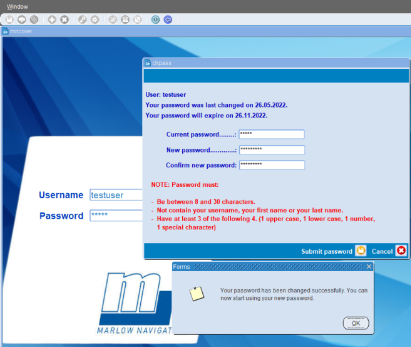
Instructions how to login to Crewing for the first time:
1. In the Username field type the username provided to you.
In the Password filed type the word reset (please use lower case letters)
Press enter & the below message should appear.
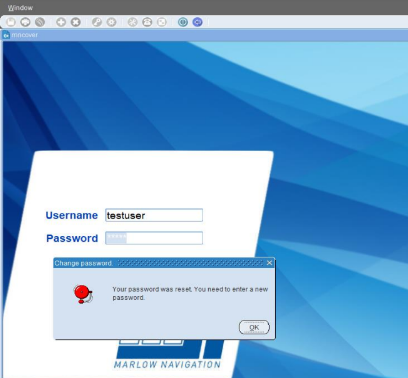
2. Press OK
Below window will appear with guidelines on how to set your password
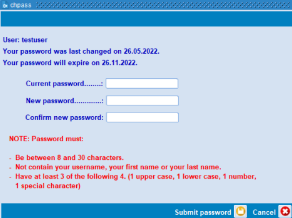
3. In the Current password field type the word reset
In the NEW password & Confirm new password fields you have to enter your password based on the NOTE instructions.
4. After completing the above press Submit password button.
The below message will appear & then you will be able to start using Crewing.