Agency Guide (Argo – Agency Role)
Purpose
To review the seafarer’s debriefing, clarify information, and add professional remarks before forwarding to Crew Management. For more information please refer to circular CDA-00-079.
CONTENTS
Step 1 – Access Debriefings in Argo
Step 2 – Review Seafarer Responses
Step 3 – Add Agency Remarks
Step 4 – Update Supporting Information (If Needed)
Step 5 – Submit to Operator Review
Overdue Entries
Step 1 – Access Debriefings in Argo
Navigate to Debriefings in Argo (under Seafarers menu), where debriefings are grouped by status:
- Pending Seafarer – not yet submitted by seafarer
- Pending Agent Review – requires agency action
- Pending Operator Review – read‑only
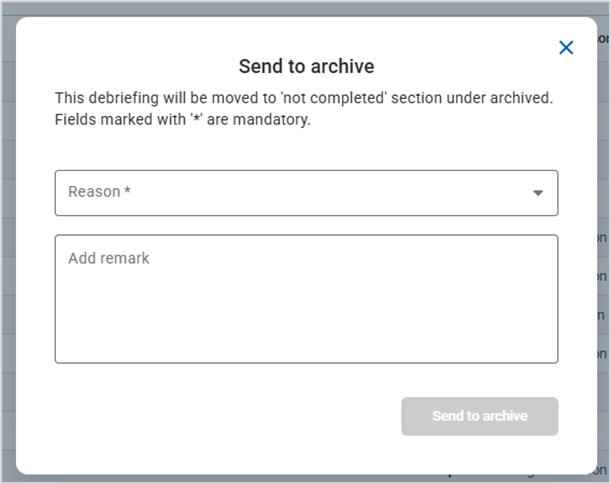
- Archived – completed or manually terminate
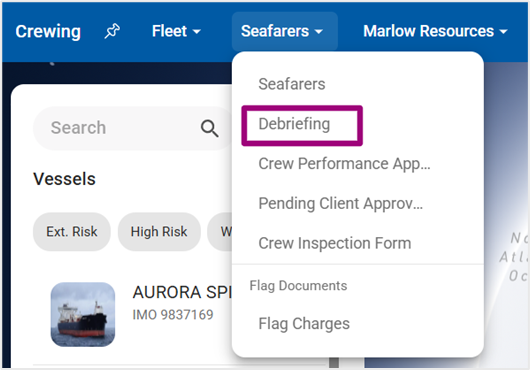
Navigate to Debriefings page
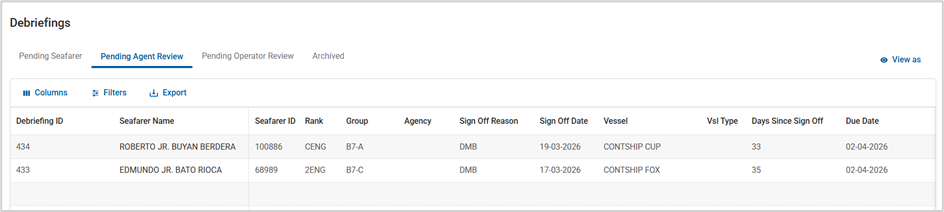
Argo Debriefings status tabs
User can filter debriefings based on the groups:
- Select View As
- Select the groups / subgroups
- Apply Filtering
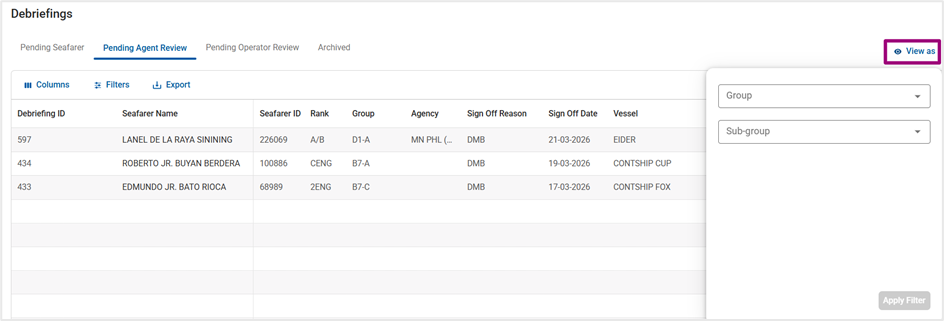
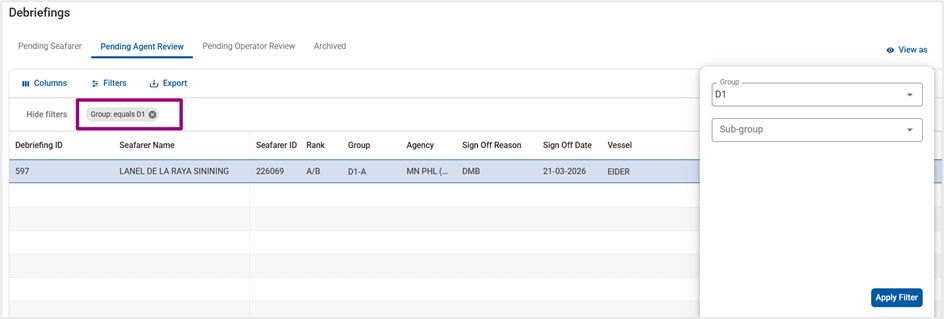
Filter Debriefings based on their group/subgroup
Step 2 – Review Seafarer Responses
- Open a debriefing in Pending Agent Review tab
- Review all answers provided by the seafarer
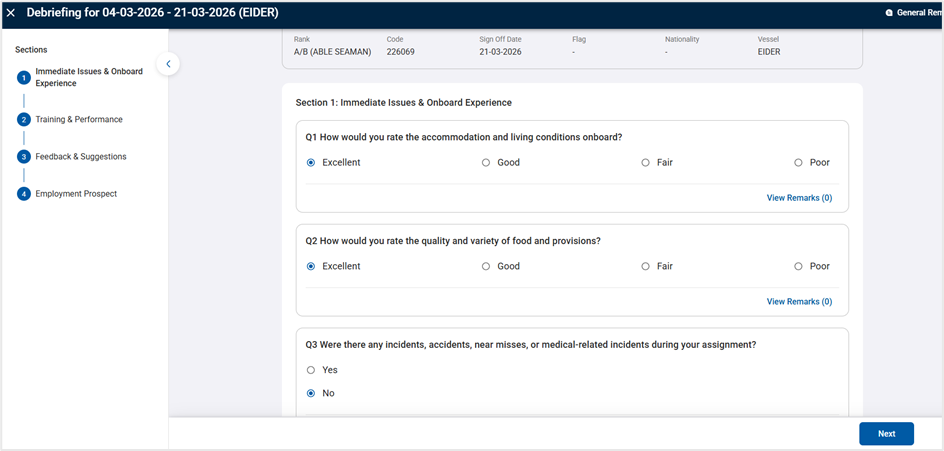
Review seafarer’s answers
Step 3 – Add Agency Remarks
- Remarks can be added:
- Per question (View Remark)
- In General Remarks (top right)
- Remarks are:
- Visible only to Agencies and Crew Managers
- Not visible to the seafarer
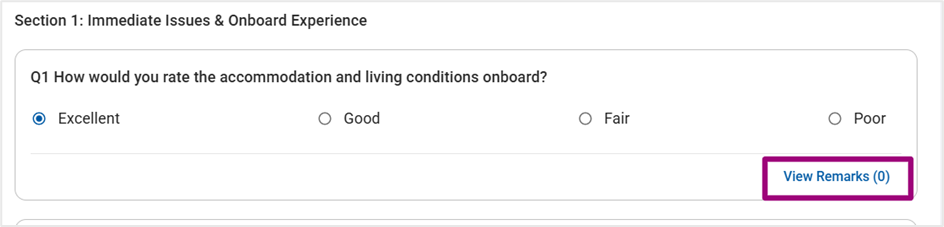
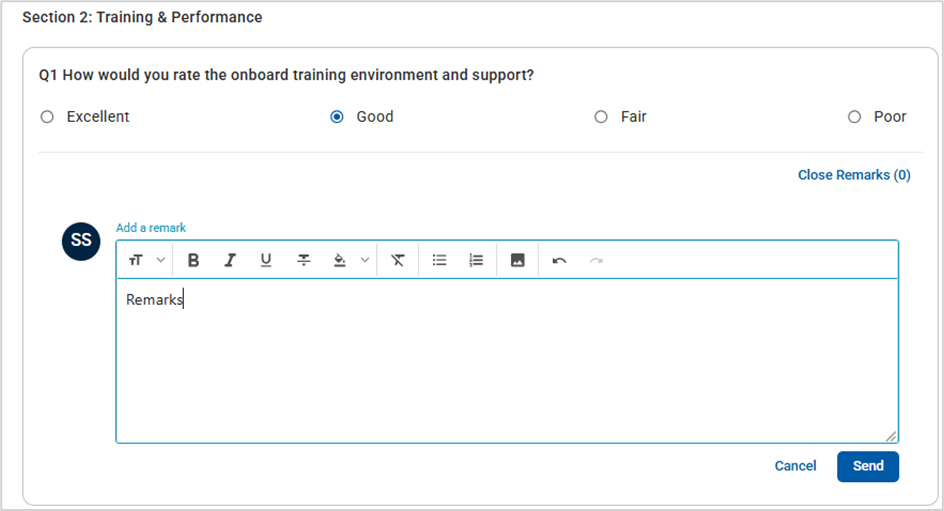
Adding remarks per question
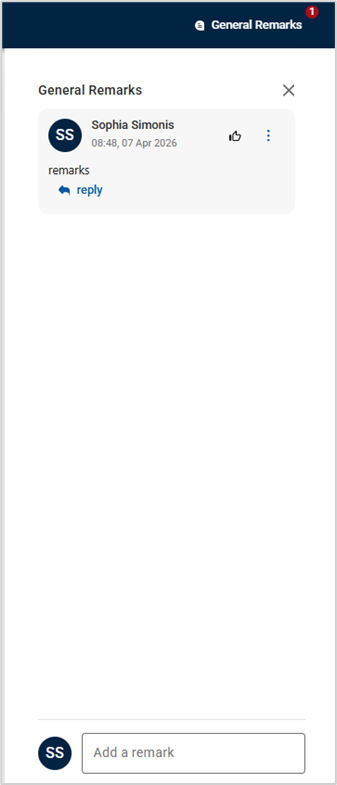
Adding general remarks
Step 4 – Update Supporting Information (If Needed)
Under Employment Prospect sections Agencies may:
- Update availability dates (if already discussed with the seafarer)
- Indicate:
- Promotion recommendation
- Higher licence held
- Add final optional remarks
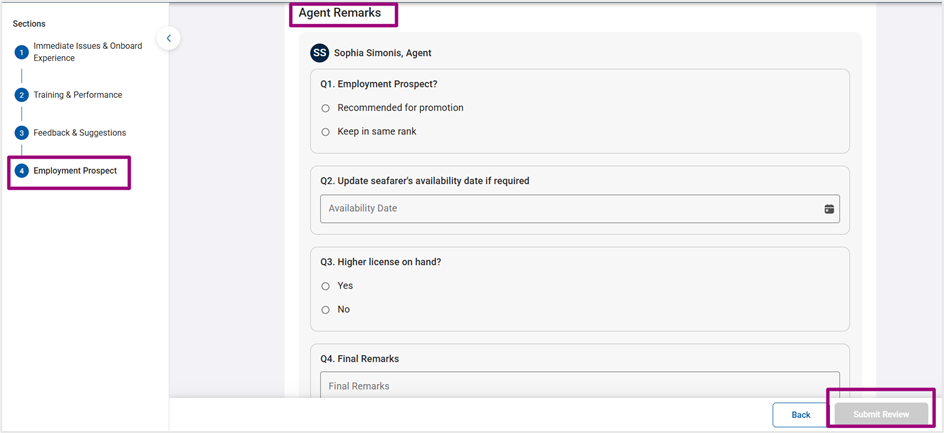
Update employment prospects section and Submit review
Step 5 – Submit to Operator Review
- Submit the agency review
- Debriefing moves to Pending Operator Review
- Agency access becomes read‑only
Overdue Entries
- Pending entries are marked as 'overdue' 20 days after sign off in Oracle if the no debriefing was submitted by the seafarer
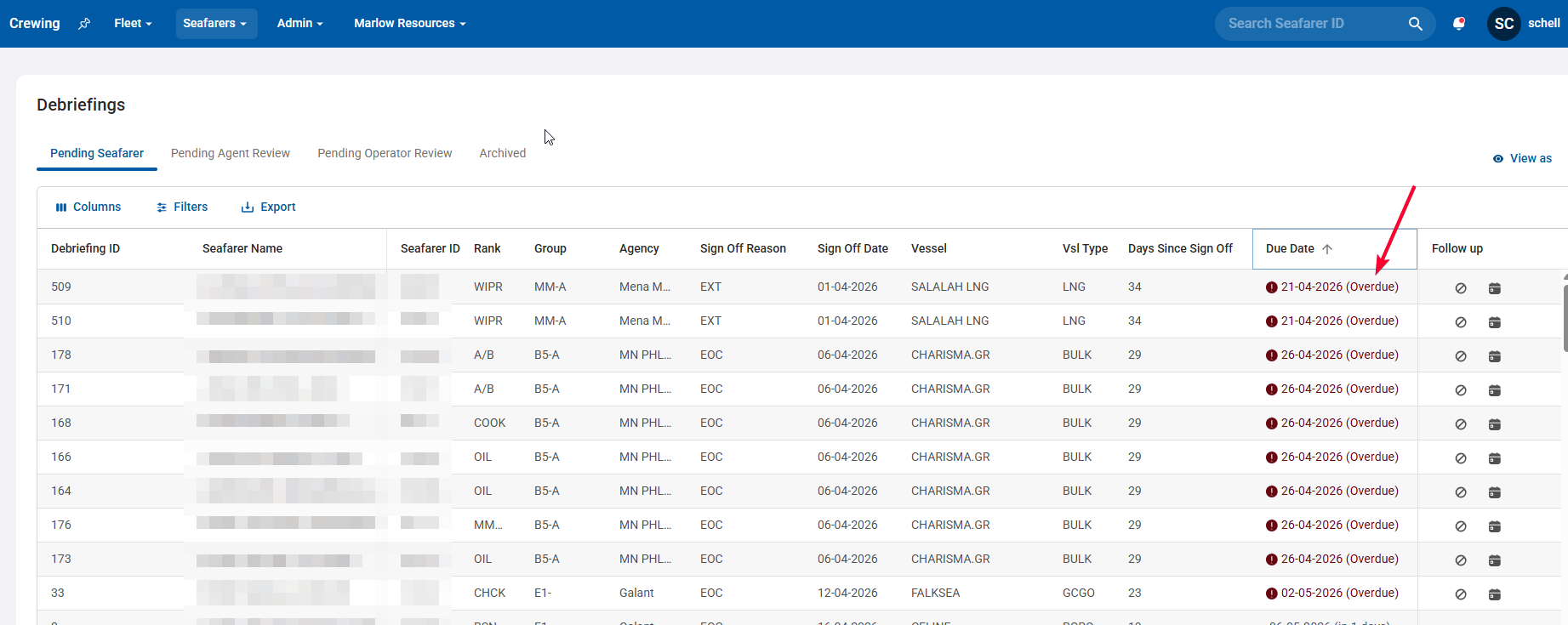
- If a debriefing is overdue 2 options are available (via the options shown below on the right side of the screen)

- Option 1: Agencies may add a follow-up date
Use the “Set Reminder Date” option to schedule the next follow‑up (system will surface the case on/around that date).
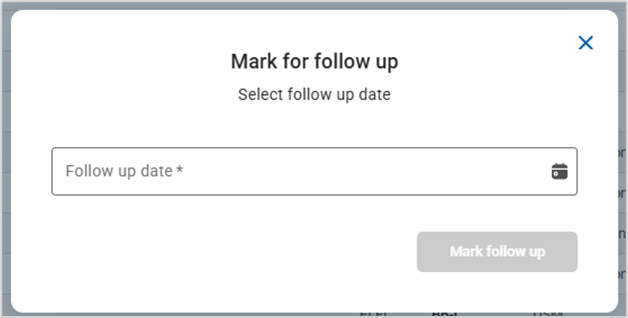
Or
- Option 2: manually terminate the debriefing with a reason
(e.g. seafarer refuses or cannot be contacted)